
Murf.Ai
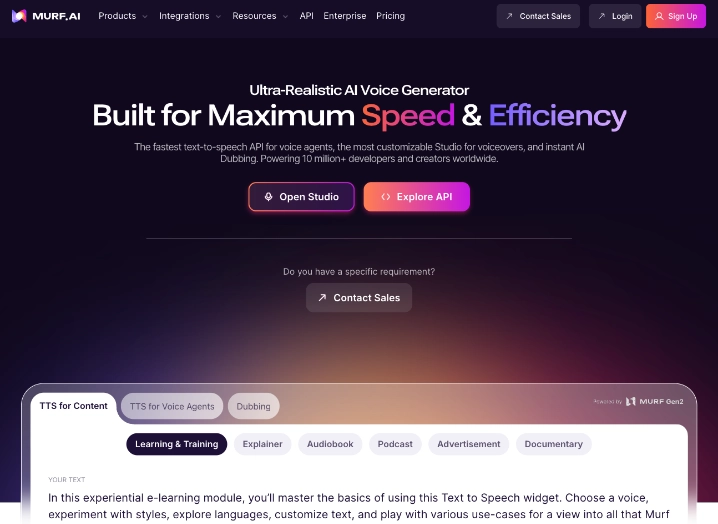
Built for Maximum Speed & Efficiency
What is Murf?
Teams and individuals producing narrated content regularly run into the same obstacles: booking voice talent is expensive and slow, while basic text-to-speech tools sound robotic and lack editing depth. Murf.ai operates as a browser-based AI voice studio that bridges this gap by turning written content into polished audio ready for videos, presentations, and training materials.
It belongs to the voice generators category but stands apart through its focus on production-ready workflows rather than simple speech output. The platform combines high-accuracy synthesis with a timeline-style editor that gives users direct control over delivery, making it feel closer to a recording booth than a basic converter.
What does Murf offer?
Users paste or type their script into the online studio, choose from over 200 voices spanning 35 languages, and immediately hear a natural-sounding result. The editor lets them adjust pace, emphasis, pitch, and pronunciation on specific words or phrases. A built-in pronunciation library stores custom fixes that apply across all projects for brand consistency.
The platform also handles video dubbing by analyzing existing footage, translating the dialogue, and generating new audio that matches the original speaker’s emotional tone. For developers, the low-latency API supports real-time voice agents in customer service or automation flows. Integrations with PowerPoint, Canva, and Google Slides allow direct narration insertion without exporting files back and forth.
This setup solves practical problems such as lengthy localization cycles and inconsistent audio quality across marketing assets. Organizations select Murf when they need professional results at scale without maintaining a roster of voice actors or juggling multiple tools.
Best use cases
Murf.ai delivers the strongest value in scenarios that combine narration with video production or global distribution. Typical applications include:
– Generating voiceovers for explainer videos, product demos, and YouTube channels that require consistent tone
– Creating e-learning modules and corporate training courses with synchronized audio and slides
– Producing multilingual versions of marketing videos through automated dubbing for international markets
– Adding narration directly inside PowerPoint or Canva presentations for webinars and sales decks
– Building automated voice messages or interactive voice agents for customer support and appointment systems
Who is Murf best for?
Content marketers, e-learning specialists, corporate communication teams, and video agencies benefit the most. Small and medium businesses use it to maintain professional audio output across all their materials without ongoing talent expenses. Larger organizations appreciate the enterprise security and compliance features for regulated industries. Developers embed the API when they need reliable voice capabilities inside their own applications.
It fits less well for users who only need occasional one-off voice clips or those focused exclusively on character voices for games and animation. Teams with very high daily volume may need to monitor the hourly generation limits closely on standard plans before moving to Enterprise.
Final verdict
Murf.ai has positioned itself as a practical production studio for teams that need high-quality voiceovers and efficient localization without the overhead of traditional recording. Its strongest advantage lies in the combination of studio-level editing controls and seamless video dubbing that keeps workflows inside one platform. The main limitation appears in the fixed voice generation hours on paid plans, which can constrain heavy users during peak periods. The tool suits best for creators and organizations that regularly produce narrated video or training content and want reliable, professional results with minimal setup.
- Studio Timeline Editor: Offers precise control over pacing, emphasis, pronunciation, and emotional tone within a visual interface.
- AI Video Dubbing: Translates and re-voices existing videos while preserving the original speaker’s delivery and intent.
- Say It My Way Cloning: Records a short user sample to replicate personal speaking style and inflection in generated audio.
- Multi-Language Voice Library: Provides 200+ expressive voices across 35 languages with high pronunciation accuracy.
- Presentation Integrations: Embeds narration directly into PowerPoint, Canva, and Google Slides files.
Pros
- Delivers studio-quality editing tools that allow fine adjustments without leaving the browser
- Handles complete video localization workflows through accurate dubbing and tone matching
- Includes direct integrations that save time when adding voice to existing business documents and designs
Cons
- Voice generation hours on Creator and Business plans can be consumed quickly during active content campaigns
- Full custom voice cloning and advanced collaboration features are restricted to Enterprise-level plans


