Speechify
AI Text To Speech Assistant
What is Speechify?
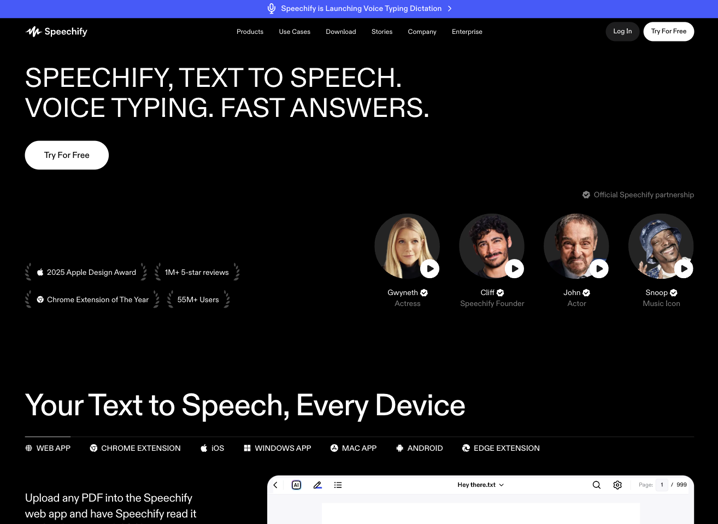
Speechify is a voice AI productivity platform built around text-to-speech technology. It transforms written material such as articles, documents, PDFs, emails, books, and webpages into spoken audio using artificial intelligence. The tool allows users to listen rather than read, supporting hands-free consumption of information across devices.
Beyond core reading functions, Speechify integrates voice dictation, content interaction, and generation tools to create a more complete workflow. It originated as an accessibility solution, particularly for individuals with dyslexia, and has expanded to serve broader productivity needs. In the AI tools landscape, it sits at the intersection of accessibility aids, reading assistants, and voice-first productivity applications, helping users shift from visual to auditory processing without losing comprehension or speed.
What does Speechify offer?
Speechify delivers text-to-speech conversion with over 1,000 natural-sounding AI voices spanning more than 60 languages and various accents. Users can upload files, paste text, or activate it via browser extensions to read webpages aloud. Playback includes synchronized text highlighting, adjustable speeds (up to 5x on premium), and optical character recognition (OCR) for scanning printed or photographed text. These features address practical challenges such as eye strain from extended screen time, the need to multitask during commutes or workouts, and difficulties absorbing dense material quickly.
Additional offerings include voice typing that converts spoken input into polished text with automatic grammar correction and filler-word removal, working across apps like Google Docs, Slack, or email clients. The platform also provides AI-driven summaries, contextual chats about listened content, and podcast generation from documents or descriptions. Integrations with Google Drive, Dropbox, and Microsoft OneDrive streamline file access. While the free tier supports basic listening, the premium unlocks higher-quality voices, faster speeds, offline downloads, and advanced AI tools. This layered approach helps users not only consume content but also interact with and repurpose it efficiently.
The tool emphasizes cross-device continuity, letting users start on one platform and continue on another, which adds flexibility for real-world workflows involving mobile, desktop, and web environments.
Best use cases
Speechify performs best in situations where visual reading limits efficiency or accessibility.
– Academic study and review – Students can listen to textbooks, lecture notes, or research papers while commuting, exercising, or reviewing material, often improving retention through audio repetition.
– Professional document handling – Busy professionals review reports, emails, contracts, or industry articles hands-free, freeing time for other tasks.
– Content creation and ideation – Writers and creators dictate drafts quickly or generate AI podcasts from outlines and links for faster production cycles.
– Accessibility support – Individuals with dyslexia, ADHD, or visual impairments engage more comfortably with digital content, reducing frustration and increasing daily reading volume.
Who is Speechify best for?
Speechify is best suited for students, especially those managing heavy reading loads or facing challenges like dyslexia and ADHD, where audio alternatives can significantly improve focus and comprehension. It also serves professionals such as lawyers, researchers, or executives who process large volumes of documents and benefit from multitasking during travel or routine activities. Content creators, freelancers, and teams looking for voice-based writing and repurposing tools will find the dictation and podcast features practical.
It appeals particularly to multitaskers and anyone who prefers auditory learning or needs to reduce screen time. However, it may be less ideal for users with only occasional or very short-form reading needs, as the full feature set requires a paid plan. Casual users comfortable with built-in device text-to-speech or those on strict budgets might find the premium pricing a consideration compared to simpler free alternatives.
Final verdict
Speechify offers a reliable and versatile way to convert reading into listening while adding practical voice productivity tools. Its strength lies in natural voice quality, broad content support, and seamless cross-platform availability, making it effective for consistent daily use in accessibility and workflow improvement. Limitations include a restricted free tier and the need for subscription access to premium voices and advanced functions. It suits users who regularly engage with substantial written material and value audio-based efficiency.
- Natural AI voices - Delivers over 1,000 realistic voices in 60+ languages and accents for lifelike audio output.
- Multi-format reading - Supports PDFs, DOCX files, webpages, emails, and scanned documents via OCR.
- Voice typing - Converts speech to polished text up to 5x faster than typing, with grammar and filler-word correction.
- AI summarization and assistant - Generates summaries, answers questions about content, and creates quizzes or podcasts.
- Cross-platform sync - Works across web, mobile apps, desktop, and browser extensions with continuous playback.
Pros
- Combines high-quality text-to-speech with integrated dictation and AI productivity tools for a complete voice workflow.
- Strong accessibility focus with features that support dyslexia, ADHD, and multitasking without compromising comprehension.
- Broad device and format compatibility, including browser extensions and cloud integrations for convenient use.
Cons
- Free version limited to basic robotic voices and lower playback speeds, restricting the full experience.
- Premium subscription required for natural voices, advanced AI features, and offline access