
Canva Ai
Free Online AI Image Generator
What is Canva?
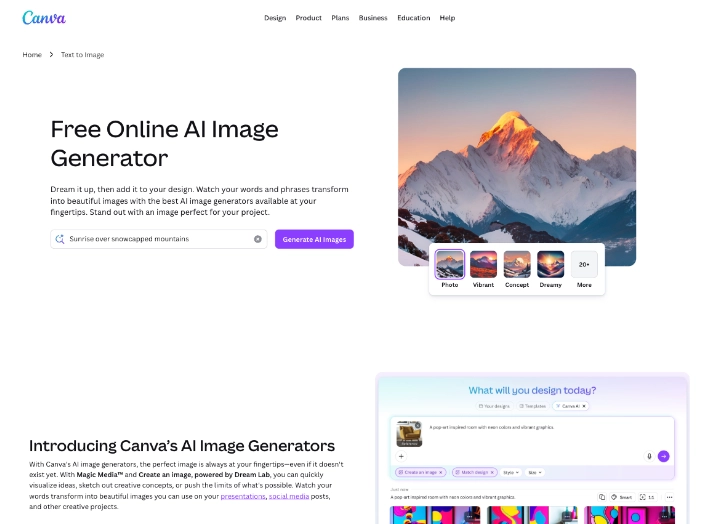
Many creators need fast, original visuals without hiring designers or mastering complex software. Canva’s AI image generator solves this by letting users describe what they want in plain language and receive multiple high-quality options in seconds. It powers the Magic Media and Dream Lab features, which handle everything from photorealistic scenes to stylized artwork and animated clips.
The tool lives in the AI image generators category but focuses on practical, everyday creation. It stands out by combining strong generation quality with immediate editing capabilities that let users tweak results directly rather than starting over with new prompts.
What does Canva AI Image Generator offer?
Users type a description or upload a reference image, then choose from styles like photorealistic, illustration, 3D, or concept art. Dream Lab, powered by the Leonardo Phoenix model, delivers higher detail and better consistency when users want to match specific characters or brand aesthetics. Once the images appear, Magic Edit lets them add, remove, or replace elements using additional text instructions, while Generative Fill and Expand adjust backgrounds or extend the canvas seamlessly.
The system also creates short videos from still concepts, making it useful for social content or quick animations. All outputs stay editable and exportable at high resolution. This workflow eliminates the usual steps of switching between separate generators and editors, giving creators a single place to go from idea to finished visual.
Best use cases
Canva’s AI image generator works best when visuals need to be created and refined quickly for real projects. Common situations include:
- Generating custom social media graphics, ad banners, or thumbnails that match exact brand colors and messaging
- Creating original illustrations or product mockups for marketing campaigns and presentations
- Producing short animated clips for Instagram Reels, TikTok, or explainer content
- Editing existing photos by adding new objects, changing backgrounds, or expanding scenes without external software
- Building consistent visual libraries for e-commerce stores, blogs, or brand guidelines
Who is Canva AI Image Generator best for?
Marketers, small business owners, content creators, and educators who produce visuals regularly benefit the most. Non-designers appreciate how easy it is to get professional-looking results without learning advanced tools. Teams use the shared workspaces to collaborate on image creation in real time. Freelancers and agencies rely on it for fast asset delivery while keeping costs low.
It fits less well for professional digital artists who need pixel-level control or highly specialized artistic techniques. Users who only want raw, unedited AI outputs without any design context may prefer standalone generators that offer deeper model customization.
Final verdict
Canva’s AI image generator makes high-quality visual creation accessible by combining strong text-to-image and video capabilities with practical editing tools that deliver ready-to-use results. Its strongest advantage is the seamless flow from prompt to refined asset without leaving one environment. The main limitation appears in generation limits on free accounts and the occasional need for prompt adjustments to achieve the best output. The tool is best suited for creators and teams who want fast, brand-consistent images and short videos without the complexity of dedicated AI studios.
- Magic Media Generation: Creates images and short videos from text prompts across multiple artistic styles and qualities. Dream Lab Advanced Output: Produces detailed visuals using the Leonardo Phoenix model with reference image support for consistency. Magic Edit Tools: Allows precise additions, removals, or replacements of elements inside any generated or uploaded image.
- Generative Fill and Expand: Fills selected areas or extends the canvas while matching the original lighting and style.
- Background and Object Removal: Instantly cleans up or replaces parts of photos using simple text instructions.
Pros
- Delivers generation and editing in one interface so users avoid exporting and re-importing files
- Supports reference images and style consistency that helps maintain brand identity across multiple assets
- Creates both still images and short videos from the same prompt set for complete content needs
Cons
- Free tier generation limits can run out quickly during daily content production
- Best results sometimes require a few prompt iterations to match exact creative expectations

4+ Image Generators LIKE Canva Ai

Generate images without limits
Leonardo.ai generates high-quality images, videos, and designs from text prompts while providing adv…

Your Imagination, Unlocked
Midjourney creates detailed images and videos from text prompts, emphasizing artistic styles and hig…

Create beautiful art
Stable Diffusion Web delivers a free online interface for creating high-quality AI images and short …